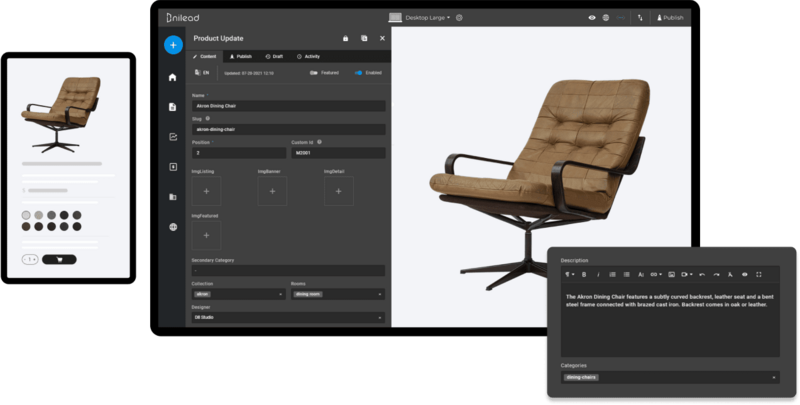
Nilead's Ecommerce System lets you showcase and sell products or services, track inventory, accept payments, and handle shipping — all in one place. This guide walks you through your first steps to launching a fully functional online store using Nilead.
Active Nilead account with access to the eCommerce module
At least one product or service to sell
Basic business information (store name, logo, contact details)
Preferred payment method (e.g. Stripe, PayPal, bank transfer)
Shipping rules or pricing (for physical goods)
Navigate to: Dashboard > Sales > Products
Click “Add New” icon on the top right corner
Choose your product prototype:
Enable variant if applicable
Fill out product details:
Title, Description, Price, Images
Add Variants if applicable (e.g., color, size)
Please check our guide on Nilead eCommerce Product for more details.
Navigate to: Dashboard > Settings > Sales > Payment method configuration
Enable preferred payment gateway(s):
Stripe, PayPal, or manual methods like Bank Transfer
Follow the guided setup to connect your account
✅ Tip: Ensure currency and tax settings match your market.
Navigate to: Dashboard > Settings > Sales > Shipping carrier
Click “Add Shipping Zone” and define the regions you deliver to
Set flat rate, weight-based, or free shipping rules
Assign methods per zone
✅ Tip: Offer local pickup or express delivery for better customer experience.
Review storefront design (via Visual Builder if needed)
Test purchase process
✅ Tip: Add a welcome email or discount for first-time buyers (optional via CRM)
1. Can I sell both physical and digital products?
Yes. Nilead supports physical goods, downloadable files, services, and gift cards — all in one store.
2. Is Stripe the only supported payment gateway?
No. You can also use PayPal, manual bank transfers, and other providers depending on your region.
3. How do I manage taxes?
Taxes can be configured under eCommerce > Tax Rules. Nilead allows for custom tax rates per region.
4. Can I connect inventory to my physical store or warehouse?
Currently, inventory is managed manually inside Nilead. API integrations may be available in advanced setups.
5. Do I need a developer to customize my storefront?
Not at all. Nilead includes a drag-and-drop visual builder that lets you customize layout, product grids, and content without writing code.