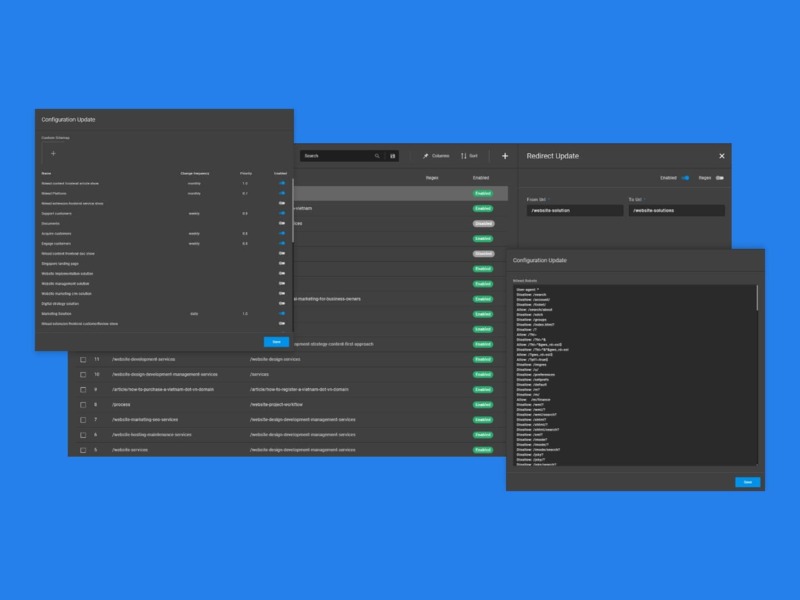
Sitemaps help search engines understand your website structure. Nilead offers two flexible options to manage your sitemap: automatic generation (ideal for most users) or full manual control via file upload. This guide shows you how to access, configure, and manage your sitemap settings directly from your Nilead dashboard.
A published website on the Nilead platform
Admin or Editor-level access
Optional: a valid XML sitemap file if you want to upload manually
To manage your sitemap, on your Nilead admin, open the Quick Menu and search for Sitemap.
Log in to your Nilead admin dashboard.
Open the Quick Menu (use Ctrl+K or the top menu search icon).
Type “Sitemap” and select the Sitemap Settings option.


Nilead automatically generates a sitemap for your site and refreshes it every 4 hours.
To include a page in your sitemap:
Go to the Visual Builder -> Pages section of your site.
Select a page to edit.
Scroll to the SEO Settings section.
Enable “Include in sitemap”.
Customize:
Change Frequency (e.g., daily, weekly, monthly)
Priority (scale from 0.1 to 1.0; default is 0.5)
📌 All changes are automatically reflected in the sitemap at the next refresh cycle.
Want full control over your sitemap structure?
Navigate to Sitemap Settings via the Quick Menu.
Locate the Custom Sitemap File section.
Upload your XML file (sitemap.xml).
Save changes.
❗Note: When a custom sitemap file is uploaded, auto-generation is paused.
To revert, simply remove or de-select the custom file option.
Include only live, important pages.
Avoid broken or redirecting URLs.
Use priority and frequency wisely: don’t set everything to daily and 1.0.
Re-check sitemap via tools like Google Search Console after major updates.
1. What happens if I enable a page but forget to set priority or frequency?
It defaults to medium priority (0.5) and weekly update frequency.
2. How often is the auto-generated sitemap updated?
Every 4 hours.
3. Can I upload a custom sitemap alongside the auto-generated one?
No. Uploading a custom sitemap disables the auto-generator until deselected.
4. What if I want to test my sitemap before submitting to Google?
Open your sitemap URL (usually yourdomain.com/sitemap.xml) in a browser to preview.
5. Is there an SEO benefit to using a manual sitemap?
Only if you have a highly complex site. For most users, auto-generation is sufficient and recommended.